Mesa TMS is the live yard board, AI gate scanner, and driver mobile app for container drayage. One signed-in dispatcher, one phone in every driver's pocket, every box accounted for.
No marketing-only features. Everything below is a screen you'll use in Mesa today.
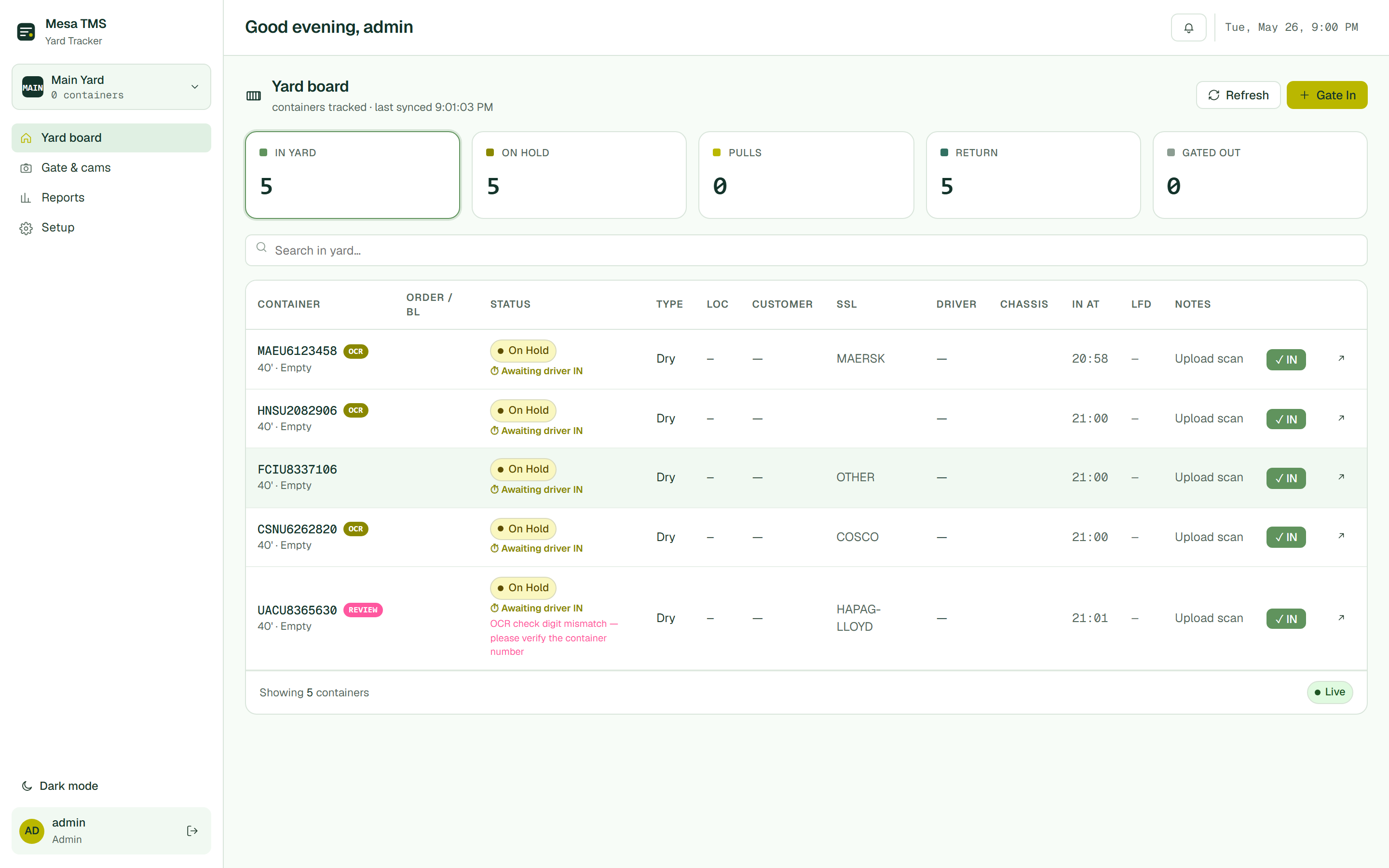
Live container list with IN YARD, ON HOLD, PULLS, RETURN, and GATED OUT buckets.
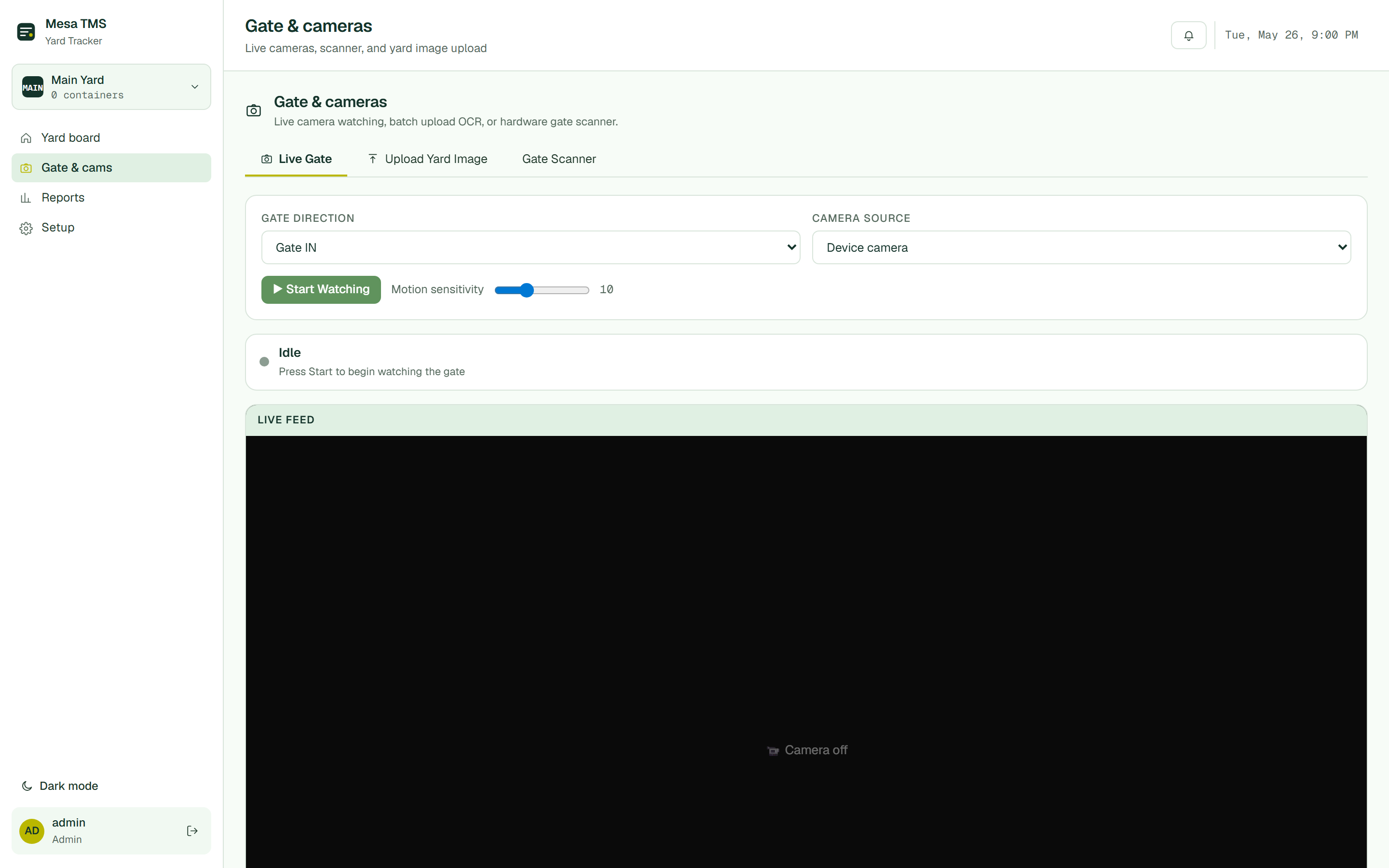
Live gate camera, batch photo upload, and hardware scanner connector.
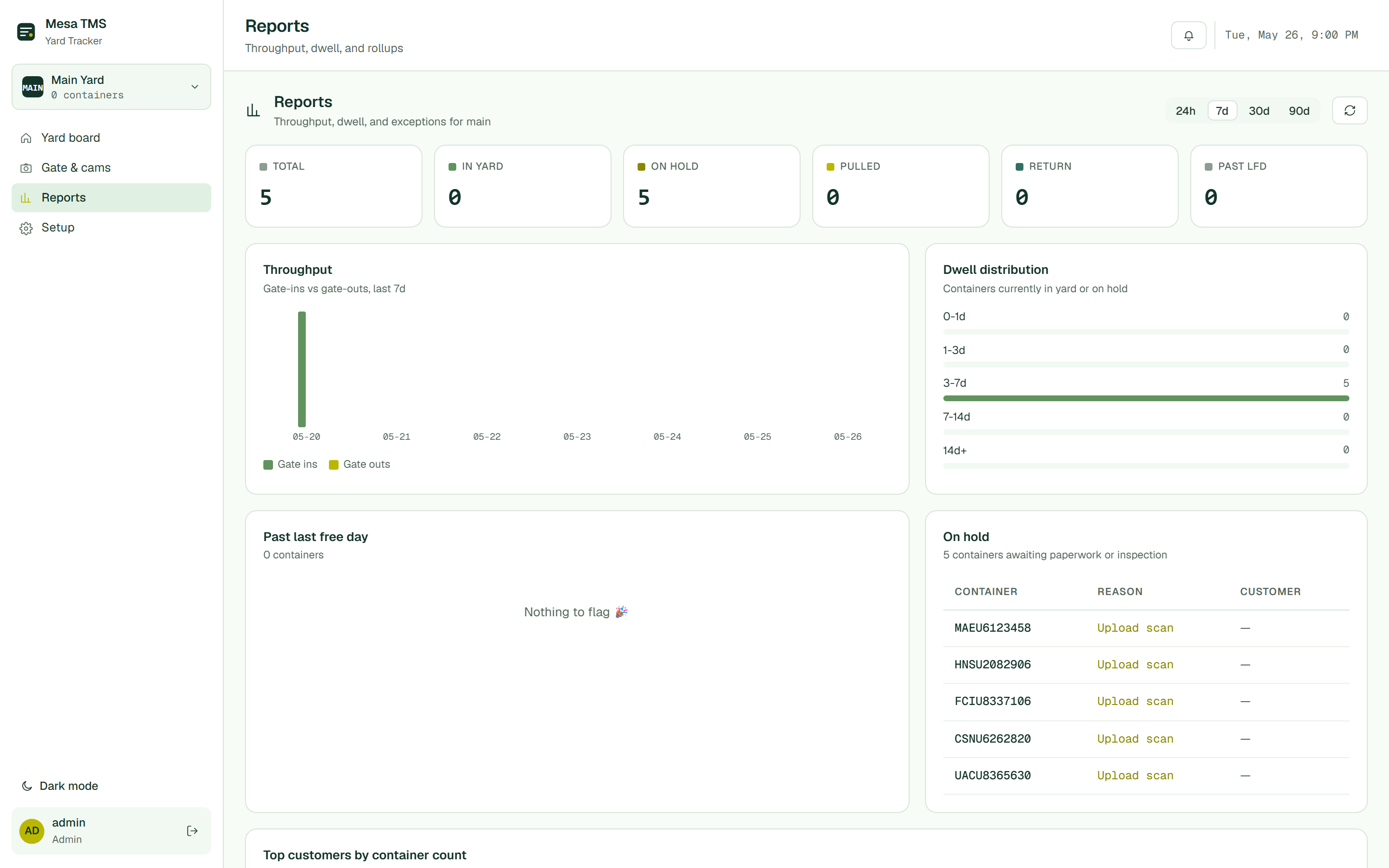
Throughput, dwell distribution, past LFD, and top customers by container count.
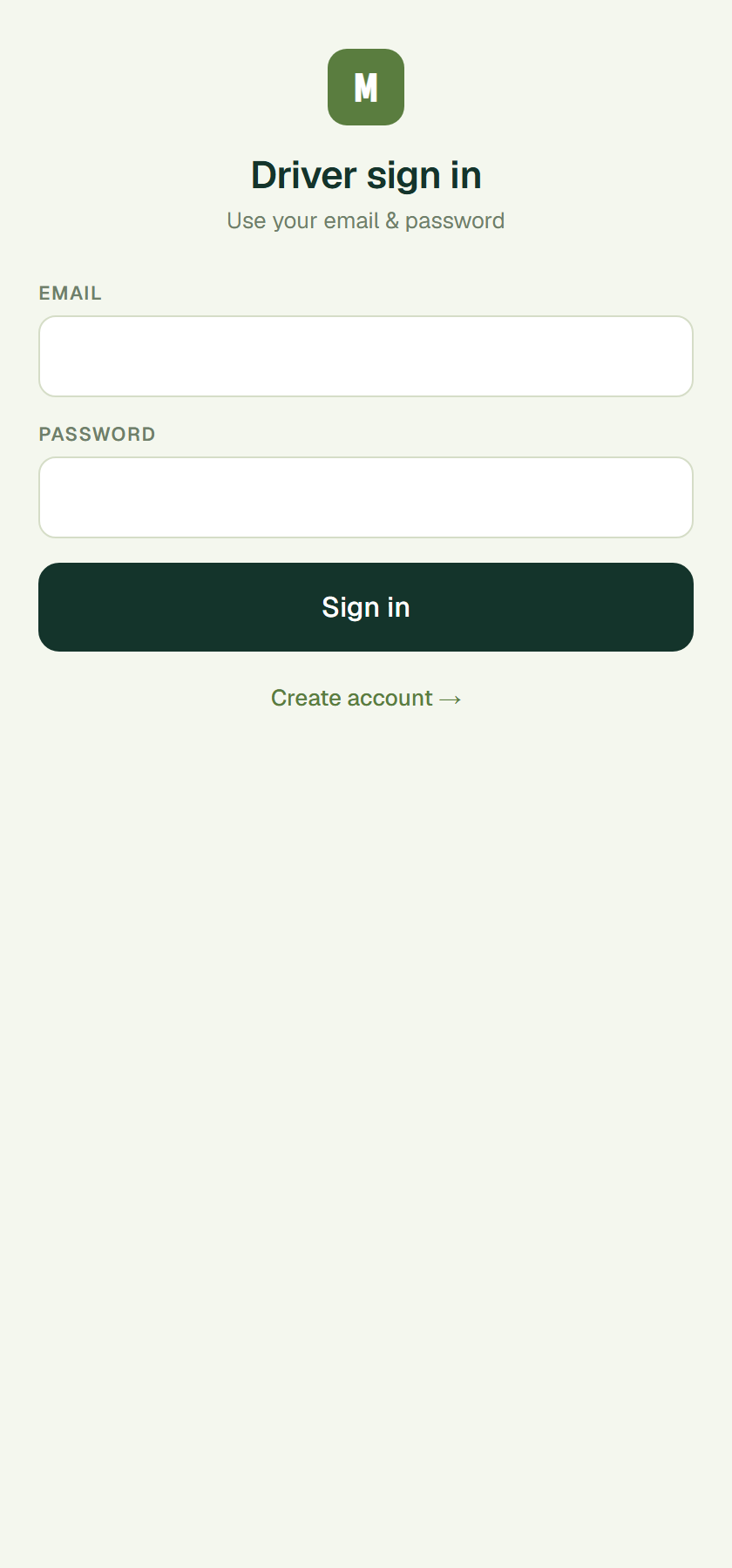
Mobile sign-in for drivers — every gate-in submit lands on your board live.
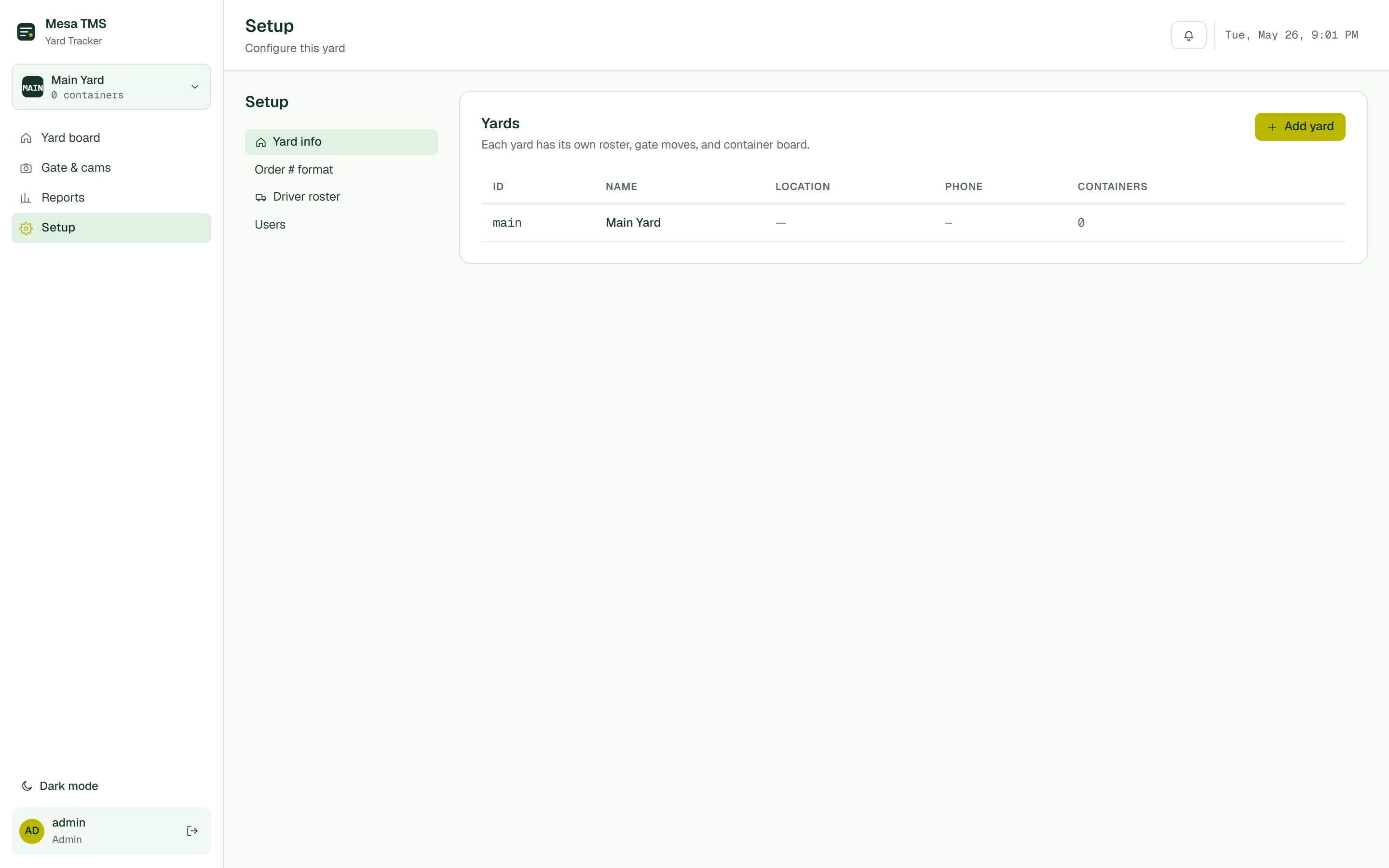
Multi-yard, custom order-# format, driver roster, dispatcher users.
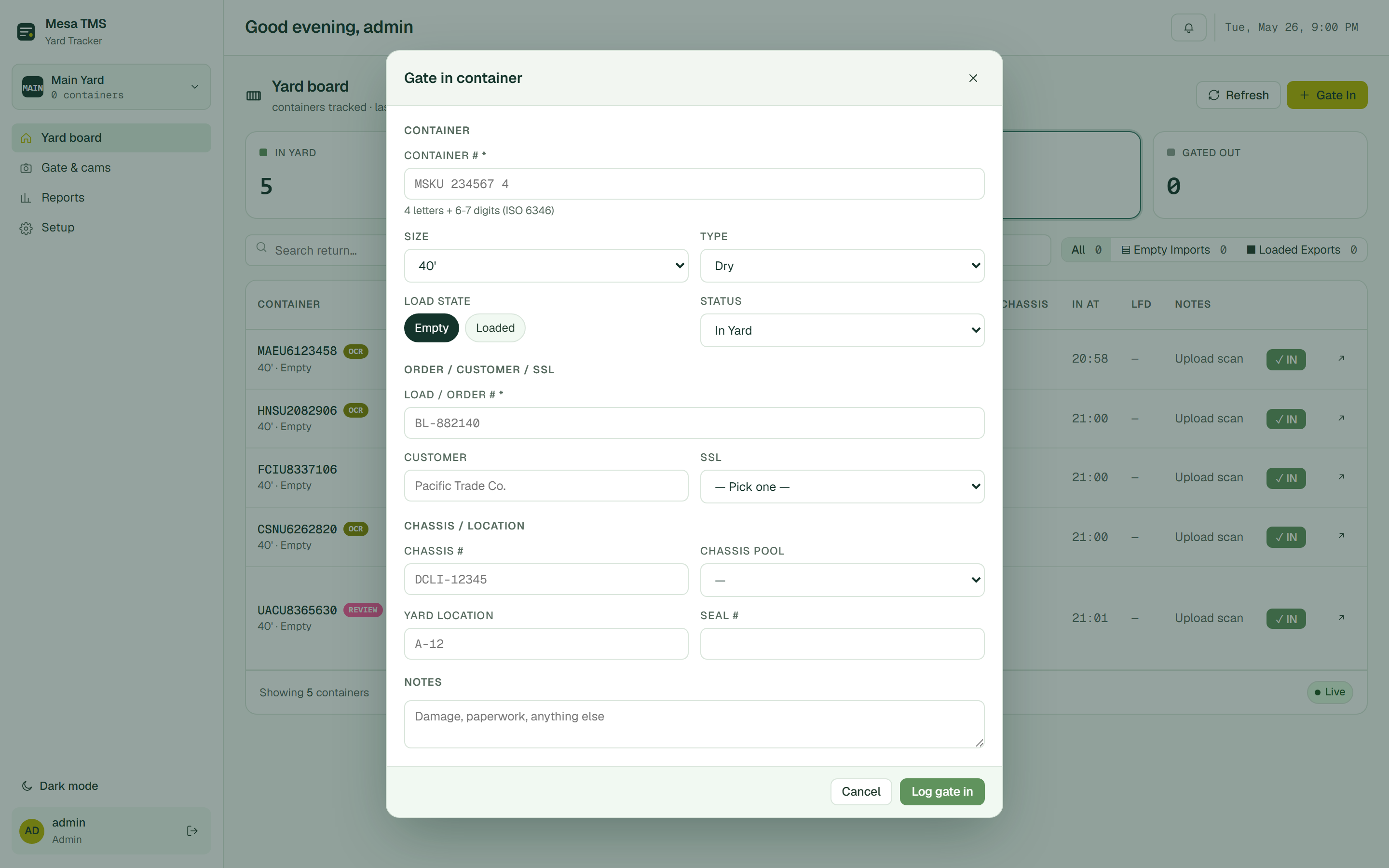
Full check-in form: ISO #, size/type, load, SSL, chassis, order, location, seal.
The dispatcher view is a live list of every container at the yard — its ISO number, size and load, SSL, chassis, gate-in time, LFD, and notes. Five buckets at the top tell you the state of the yard at a glance.
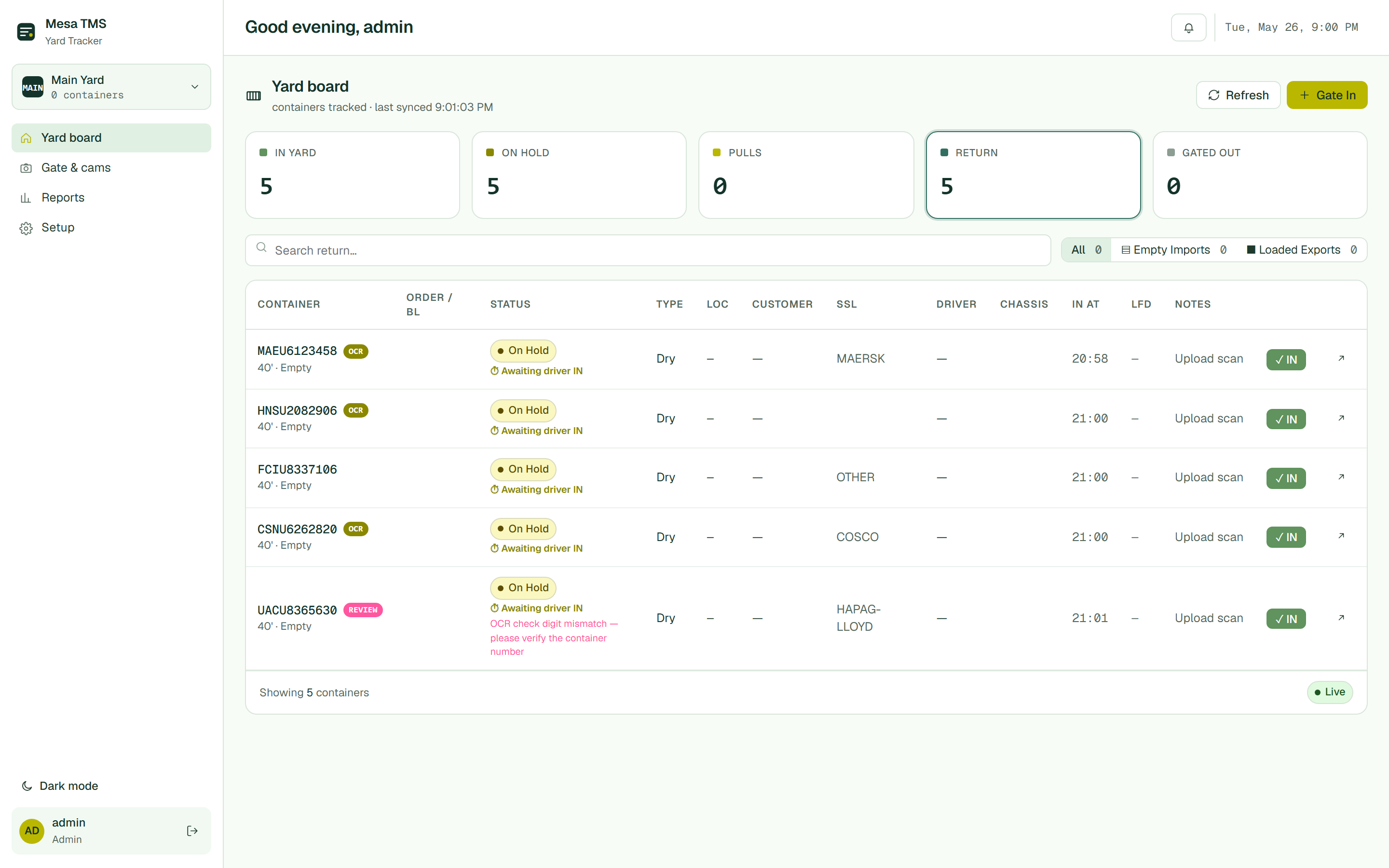
Click a bucket and the board re-filters. Return view splits into Empty Imports vs Loaded Exports so you know which boxes are heading back to the rail and which are still waiting on a customer pickup.
Hit Gate In on the board, type the container number, and Mesa walks you through size, type, load state, order/BL, customer, SSL, chassis number, pool, yard slot, and seal — in the order a yard operator actually fills them out.
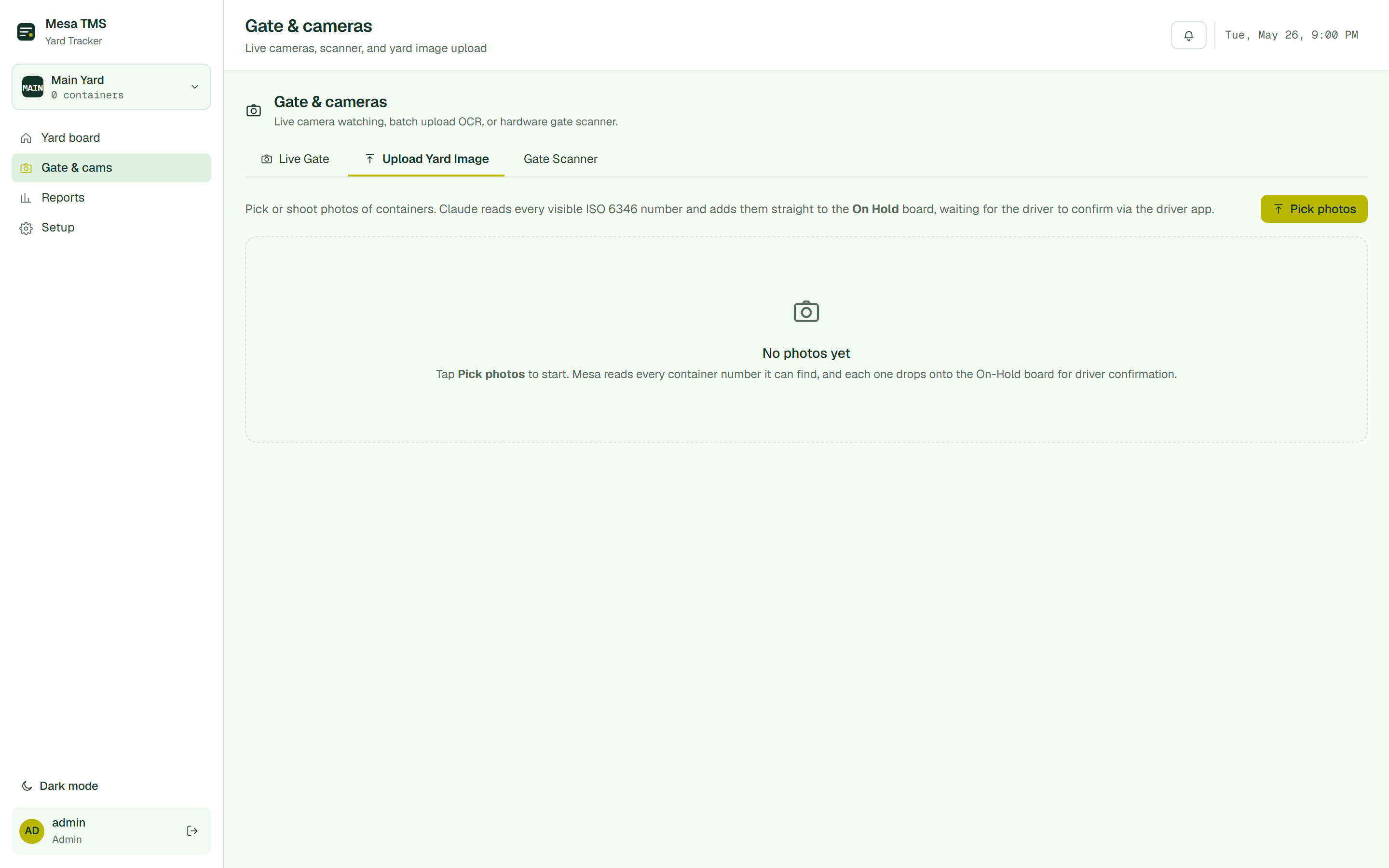
The Gate & cams tab has three modes: a Live Gate camera that watches the gate for motion and auto-captures, an Upload Yard Image batch where you tap a stack of photos from your phone and Claude OCRs every ISO number, and a Gate Scanner connector for dedicated hardware.
Take photos at the gate, end of shift hit Pick photos, select the batch, and Mesa reads every visible 4-letter-7-digit container number and drops them on the On Hold board waiting for driver confirmation via the driver app.
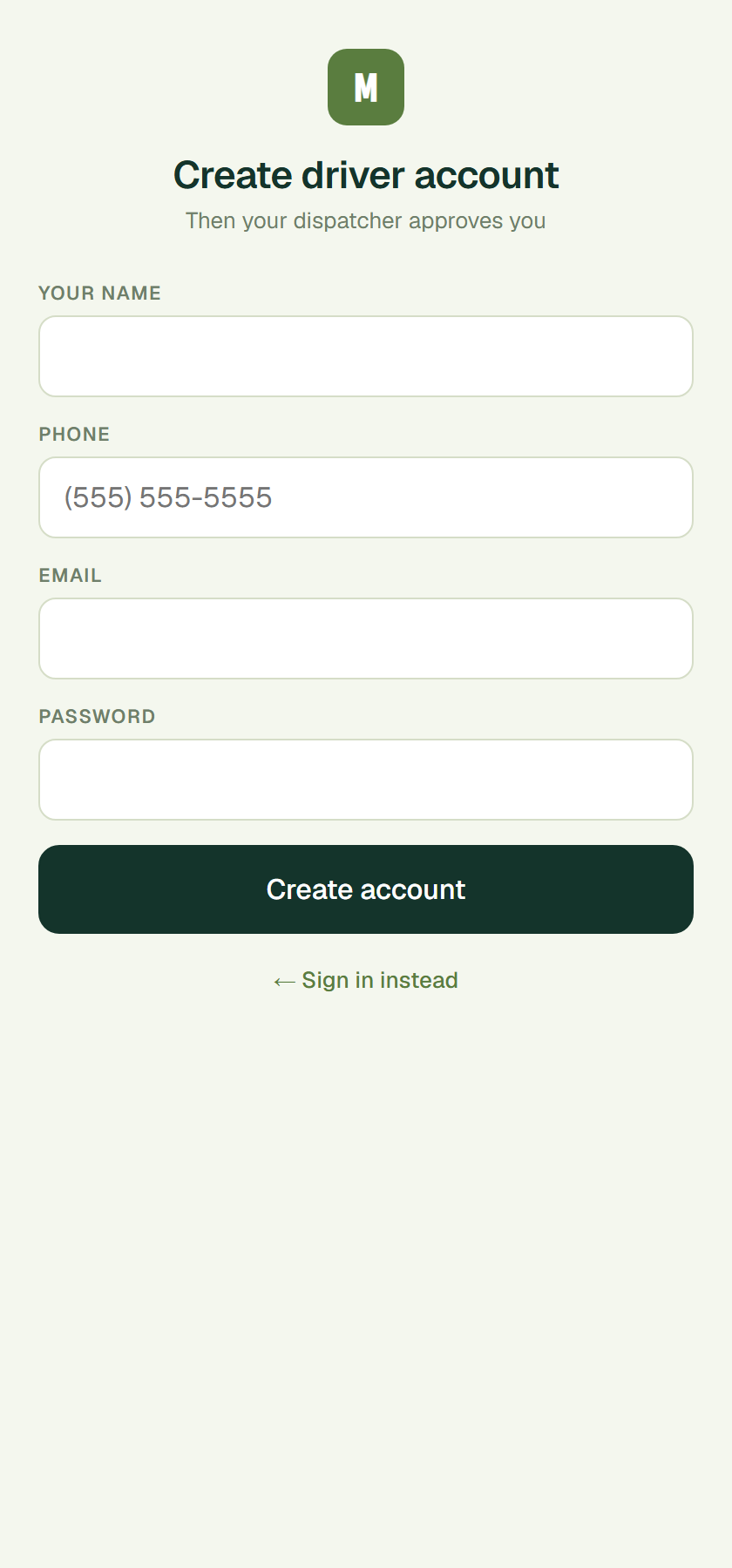
No app store, no install. Drivers open the link, sign in or create an account, and you approve them once. From then on every gate-in they submit lands on your On Hold board waiting for camera-side confirmation.
Each driver enters their name, phone, email, and a password. The signup lands in the dispatcher's pending queue. One click and they're in the roster.
The Reports tab gives you the whole operation at a glance: gate-ins vs gate-outs over the last 7 / 30 / 90 days, dwell distribution by bucket (0–1d, 1–3d, 3–7d, 7–14d, 14d+), a past-LFD list, the On Hold queue with reasons, and your top customers by container count.
The Setup tab holds everything that doesn't change day-to-day: which yards you run, what your order-# format looks like, your driver roster, and which dispatchers can sign in.
No long deployments, no integration sprints. Once you're approved, you can be moving containers on Mesa the same day.
Tell us about your operation. We review every request and reach out to get you set up — no card up front.
Add your yards, your order-# format, and your starting driver roster.
Start gating containers in from the yard tablet or upload a batch of photos.
They sign up, you approve, every submit auto-merges with the camera read.
Mesa reads ISO 6346 container numbers from photos with field-tested reliability — including weathered, shadowed, and partially obscured numbers. Low-confidence reads land as REVIEW on the board so a dispatcher confirms before the box becomes live.
Mesa works without a driver app — your gate operator can log every move on a tablet at the gate. The driver app is an enhancement, not a requirement. You can also batch-upload photos at end of shift.
Mesa is the yard layer. We work alongside your dispatch TMS, your billing system, and your rail provider via CSV exports today and dedicated integrations on Enterprise.
Each customer gets a dedicated server instance with their own isolated storage on Fly.io. We host in the continental US. No cross-tenant queries, no shared databases, no training on your data.
Yes. CSV export of every container, every event, every photo. Your data is always yours.
For a single-yard operation, you can be running gate moves the same day. Larger operations with multiple yards and existing roster imports typically take 2–3 business days.
Request access in under 2 minutes. We review every operation and follow up fast.
Request accessor email hello@mesatms.com for a demo